Solar Generators for Remote Work: Your Portable Office Power Supply
Remote work untethered you from the office. A solar generator untethers you from the wall outlet. A laptop that dies at 3 PM in a park, a Zoom call that drops because your hotspot ran out of battery, a monitor that cannot plug in at a campsite — these are solvable problems. The right compact generator keeps your workstation running for a full day anywhere with zero noise and no extension cord to the nearest cafe.
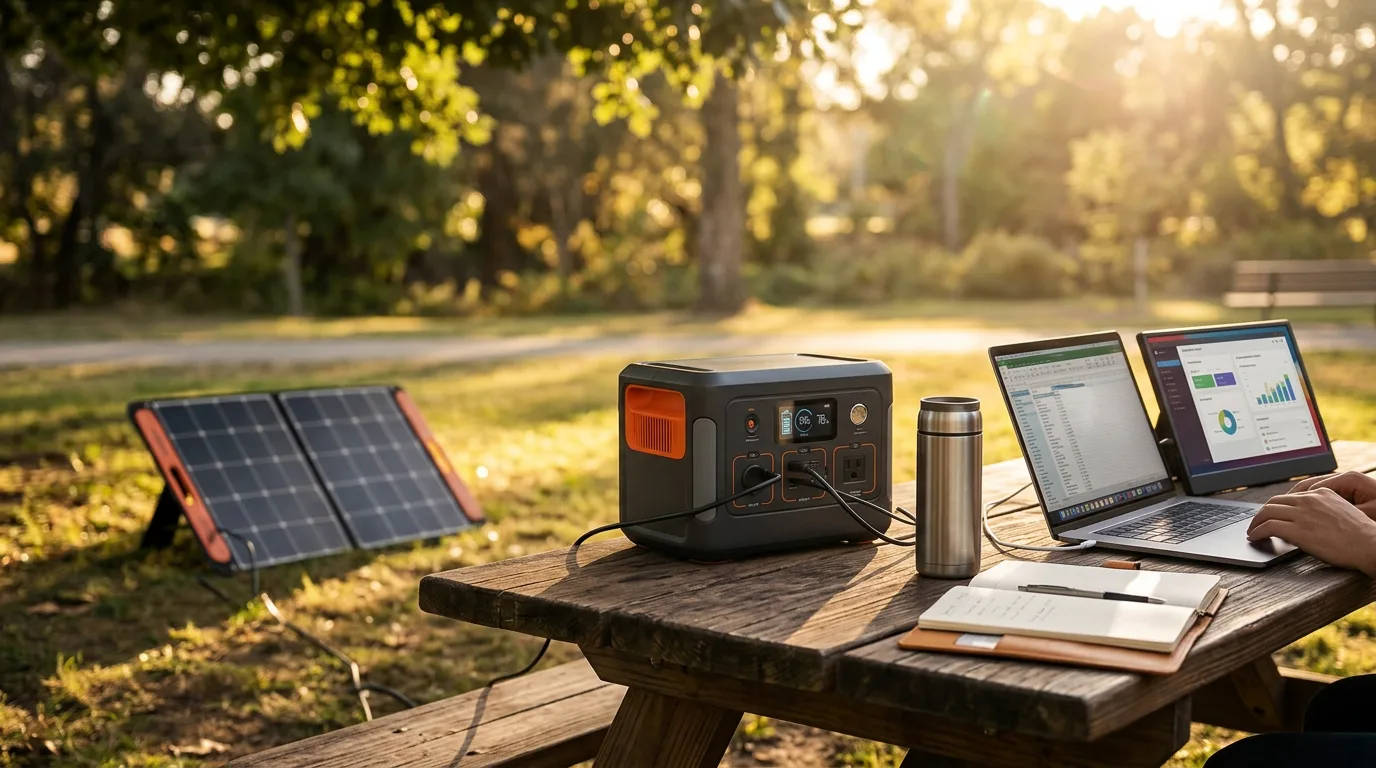
The remote work power equation is surprisingly modest. A laptop, a Wi-Fi hotspot, and a phone charger together draw 50-80W. Over an 8-hour workday, that is 400-640Wh. A compact generator in the 300-600Wh range — weighing 7-20 lbs, fitting in a backpack or tote — covers a full workday with room to spare. You do not need a 2,000Wh power station to answer emails in a park.
The Remote Work Power Audit
Every device in your mobile office has a power footprint. Knowing the exact numbers prevents overspending on capacity you will never use.
Laptop (30-65W continuous). The range depends on your machine and workload. A MacBook Air doing email and web browsing draws 25-35W. A Windows laptop running video editing software draws 50-65W. A gaming laptop under heavy GPU load can draw 100-150W. Check your laptop's power adapter for the maximum wattage — that is the ceiling, not the average. Most work tasks use 30-50% of the adapter's rated capacity.
External monitor (20-40W). A 24-inch LED monitor draws about 25W. A 27-inch 4K monitor draws 30-40W. USB-C powered portable monitors (15-17 inch) draw 8-15W and can be powered directly from the laptop or the generator's USB-C port. If you carry a portable monitor for dual-screen productivity, budget an extra 10-30W.
Wi-Fi hotspot (5-15W). A dedicated hotspot device or phone tethering uses minimal power. Budget 10W average — over 8 hours, that is 80Wh. Not worth worrying about in the sizing calculation.
Phone and accessories (10-30W collectively). Phone charging, wireless earbuds, a desk lamp, a portable speaker for background focus music — these low-draw accessories collectively add 10-30W. Budget 200Wh total for a full day of accessory charging.
The totals: A minimal setup (laptop + phone) needs 300-400Wh per day. A full mobile office (laptop + monitor + hotspot + accessories) needs 500-750Wh per day. That means a 600Wh generator covers a minimal workday, and a 1,000Wh generator covers a full mobile office with comfort margin.
USB-C PD vs AC Outlet: Efficiency Matters
Most modern laptops charge via USB-C Power Delivery. This is more than a convenience for remote workers using solar generators — it is an efficiency advantage.
Charging through the AC outlet means the generator converts DC battery power to 120V AC (via the inverter), then your laptop adapter converts 120V AC back to DC for the battery. Each conversion loses 10-15% as heat. Total loss: 20-25%.
Charging through USB-C PD means the generator outputs DC directly to the laptop. One conversion step, roughly 5-10% loss. For the same battery capacity, USB-C charging provides 15-20% more usable energy to your laptop. On a 300Wh generator, that is the difference between 5 hours and 6 hours of laptop runtime.
Our Remote Work Generator Picks
Best for a laptop-only setup: The Anker SOLIX C300 Portable Power Station with 60W Solar Panel includes a 60W solar panel and 288Wh of capacity. The USB-C PD port charges most laptops directly. Weighs about 8 lbs — light enough for a backpack. The included solar panel adds about 200Wh on a sunny day, extending a workday from 5 hours to 8+. Anker's build quality means this unit takes daily use without complaint.
Best established brand at compact size: The Jackery Explorer 300 Portable Power Station at 293Wh weighs 7.5 lbs and Jackery's reliability track record is the longest in the industry. Handles a full day of laptop work via AC or USB-C. No included solar panel, but pairs well with Jackery's SolarSaga 40W or 60W folding panels. A clean, proven option for the work-from-anywhere professional.
Best for a full mobile office: The VTOMAN FlashSpeed 600 Portable Power Station doubles the capacity to 600Wh — enough for a laptop, external monitor, hotspot, and all accessories for a full 8-hour day with margin. The 1,200W surge means you can plug in a monitor, desk lamp, and laptop simultaneously without worrying about overload. At under 20 lbs, still manageable for car-based remote work.
Best for multi-day remote work trips: The EcoFlow DELTA 2 Portable Power Station with 1,024Wh powers 2+ full workdays without recharging. The EcoFlow app shows real-time power draw and remaining runtime for each connected device — useful for managing power through a 3-day cabin retreat. The 1,800W output also handles a coffee maker, space heater, or any other work-from-cabin appliance.
Work Environments and Generator Etiquette
Parks and outdoor spaces. Solar generators are silent — no one will object to one sitting next to your blanket or park bench. Keep cables tidy, do not block pathways, and secure the unit if you step away. A 60-100W folding solar panel propped against your bag adds passive charging throughout the workday.
Cafes and coworking spaces. These venues have outlets — the generator serves as a backup, not a primary power source. Plug in when you can, use the generator when outlets are taken or when you are sitting outside on the patio. Do not run the AC inverter if you are only charging via USB — it produces a faint fan hum that may bother nearby patrons.
Campgrounds and cabins. This is where the solar generator earns its keep. No outlets, no grid, just you and your work. Size for 2-3 days of capacity plus a solar panel for recharging. The combination of a 600Wh generator and a 100W panel provides indefinite laptop power in most US locations during summer months.
Van life and vehicle-based work. The generator sits on the floor or a shelf in the van. Charge from the vehicle's 12V port while driving. Deploy a roof-mounted or folding solar panel when parked. The generator powers your laptop and monitor during work hours, then switches to powering lights and charging devices in the evening. Our van life guide covers the mobile office setup in detail.
The Solar Charging Workflow for Workdays
For remote workers who rely on their generator daily, a solar panel is not optional — it is what converts a finite battery into a renewable power source. The workflow is simple:
Morning: deploy the solar panel in direct sun while you set up your workspace. Even before you start working, the panel begins adding charge. During work hours (9 AM - 5 PM), a 100W panel in good sun adds 400-500Wh — nearly a full recharge for a 600Wh generator. By end of day, you have used power all day but the battery is back near where it started.
On cloudy days, solar production drops to 30-50% of rated output. A 100W panel produces 30-50W, adding 200-300Wh over a workday. That does not fully offset a full day's use — but it stretches a 600Wh generator from one workday to two. On fully overcast days, expect minimal solar contribution and plan to charge from a wall outlet or vehicle overnight.
Panel positioning during meetings: If you work from a café patio or co-working garden, find a spot where the panel catches direct sun without blocking walkways or table space. Foldable 100W panels lay flat on the ground or lean against a wall. Avoid repositioning mid-call — the brief power dip when you unplug and replug the solar cable can trigger a notification chime on the generator, which your meeting participants will hear.
Remote Work Power Questions
How long can a solar generator power a laptop?
A modern laptop draws 30-65W while working (depending on workload — web browsing uses less than video editing). A 300Wh generator runs a laptop for 4-8 hours. A 600Wh generator provides 8-16 hours — well beyond a full workday. If your laptop has USB-C PD charging, you can charge directly from the generator USB-C port without using the AC inverter, which is more efficient and extends runtime by 15-20%.
Can a solar generator power a monitor and laptop together?
A 24-inch LED monitor draws 20-40W. Combined with a laptop at 40-60W, the total is 60-100W. A 600Wh generator runs both for 6-10 hours. For a dual-monitor setup (laptop + external monitor), budget 80-120W continuous and 500-700Wh for a full 8-hour workday. This is well within the range of mid-size portable generators.
Will a solar generator power a Wi-Fi hotspot all day?
A mobile Wi-Fi hotspot device draws 5-15W. Running one for 8 hours uses 40-120Wh — barely a dent in even the smallest generator. A portable router or mesh point draws 10-20W. The hotspot is the least power-hungry device in any remote work setup. Budget 100Wh per day for connectivity devices and move on to the bigger loads.
What is the quietest solar generator for working in libraries or cafes?
All solar generators are silent at idle — no moving parts, no engine. Under load, the inverter cooling fan produces 25-40 dB, similar to a quiet whisper. For absolute silence in a library setting, keep the load under 50% of the generator rated output — many units do not even engage the fan below half load. The Anker SOLIX C300 and Jackery Explorer 300 are both library-quiet under typical laptop charging loads.
Is it worth getting a solar panel for remote work?
If you work outdoors regularly (parks, patios, campsites), a 60-100W folding panel provides solid daytime recharging. In 4-5 hours of direct sun, a 100W panel adds 350-400Wh — roughly equivalent to a full laptop charge. For indoor coworking or cafe work where you have an outlet available in the evening, solar is unnecessary. For extended off-grid work trips (multi-day camping, van life), solar becomes essential.
Can I run a desktop computer from a solar generator?
A desktop PC draws 200-500W depending on the configuration — gaming PCs with dedicated GPUs draw far more than office machines. A high-end desktop can draw 500-800W under load. Most solar generators in the compact category (200-600W output) can run a basic office desktop, but not a gaming or content creation rig. For desktop work away from the grid, a mid-range generator with 1,000W+ output is safer. But honestly — a laptop on battery power is far more energy-efficient for remote work.
Set Up Your Portable Office
Browse our best compact generators for laptop-ready units under 20 lbs, or calculate your exact workday power budget with our watt-hours guide. Working from a van? Our van life guide covers the full mobile office setup.
Ready to Buy? Start Here
Based on this guide, our #1 recommendation:
Anker SOLIX C300 Ultra-fast AC recharging, whisper-quiet operation for remote work Read Full Review →