10 Solar Generator Mistakes That Cost More Than the Generator Itself
Solar generators are straightforward products — battery, inverter, solar input, ports. But the gap between "bought one" and "bought the right one, set it up correctly, and got full value from it" is where hundreds of dollars disappear. After researching 35 generators across four categories, these are the 10 mistakes we see most often in customer reviews, forum posts, and buyer questions.
Mistake #1: Confusing Capacity with Output
This is the most expensive confusion in the solar generator market. Capacity (measured in watt-hours) tells you how much energy the battery stores. Output (measured in watts) tells you how much power the inverter can deliver at any given moment. They answer completely different questions.
A generator with 1,000Wh capacity and 500W output can run a 100W device for 10 hours — but it cannot run a 600W device at all. The battery has the energy. The inverter cannot convert it fast enough. Buying a high-capacity generator with a low-output inverter is like having a 100-gallon water tank with a garden hose nozzle — plenty of water, not enough flow.
The fix: Check the inverter's continuous output rating first. List the devices you want to run simultaneously, add their wattage, and make sure the inverter exceeds that total. Then check capacity to confirm the runtime meets your needs. Output determines what. Capacity determines how long. Both matter, but output is the spec most buyers skip.
Mistake #2: Ignoring Surge Wattage Requirements
Any device with a motor — refrigerators, air conditioners, power tools, even small fans — draws 2-5x its rated wattage for a fraction of a second during startup. A mini-fridge rated at 60W continuous might spike to 180W on startup. A circular saw rated at 1,400W can surge past 3,500W.
If your generator's surge rating cannot handle the spike, the device simply will not start. The generator trips its overload protection, shuts down, and you are left wondering why a "1,000W generator" cannot run a "60W fridge." The answer is the startup surge, not the continuous draw.
The fix: Check both the continuous AND surge wattage ratings. For any motor-driven device, assume the startup surge is 3x the rated wattage. Your generator's surge rating must exceed that spike. Some generators like the VTOMAN FlashSpeed 600 offer 1,200W surge on a 600W continuous rating — that 2x headroom handles most small motor startup spikes. Generators with zero surge headroom (surge equals continuous) will struggle with anything containing a compressor or motor.
Mistake #3: Buying Too Much Generator
This is the opposite of mistake #1, and it is equally wasteful. Buying a 3,000Wh whole-home backup system for weekend camping trips means carrying 80+ lbs of battery you will never deplete, spending four to five times what you needed, and having a unit too heavy to move without a dolly or a truck bed.
A weekend camping trip for two people — charging phones, running LED lights, powering a portable speaker, and maybe running a small fan — uses 200-400Wh total. A compact 300-600Wh generator handles that effortlessly and weighs 8-15 lbs. A 3,000Wh monster does the same job while weighing 80 lbs and costing a premium.
The fix: Calculate your actual power needs before shopping. List every device you will run, multiply wattage by hours of use, add 20-30% buffer, and buy that capacity. Our sizing guide walks through the math step by step. The 20-30% buffer covers LiFePO4 efficiency losses and unexpected needs. Going beyond that is spending money on capacity that sits unused.
Mistake #4: Not Accounting for Solar Panel Reality
Solar panel wattage ratings are measured under Standard Test Conditions: 1,000 W/m² irradiance, 25°C cell temperature, air mass 1.5. Those conditions exist in a laboratory, not in your backyard. Real-world solar output is 60-80% of the rated wattage under good conditions and drops further with clouds, poor angle, heat, and shade.
A 200W panel produces 120-160W in good direct sun. On a partly cloudy day, it might produce 60-100W. At dawn and dusk, it produces almost nothing. And here is the detail most buyers miss: your generator limits the input. If the generator's maximum solar input is 100W, a 200W panel delivers no advantage over a 100W panel. The generator caps the intake regardless of what the panel produces.
The fix: Match the panel wattage to the generator's maximum solar input. A generator with 200W solar input benefits from a 200W panel but gets nothing extra from a 400W panel. Then mentally reduce the panel's rated output by 30% for real-world planning. A 200W panel on a 200W-input generator delivers roughly 140W in good conditions — meaning a 1,000Wh battery takes about 7 hours of good sun to fully charge, not the 5 hours the math suggests on paper.
Mistake #5: Storing at Full Charge or Empty
LiFePO4 batteries are remarkably resilient, but storage conditions still matter. Storing at 100% charge puts the cells under sustained high voltage stress. Storing at 0% risks deep discharge if the BMS draws trickle power over months — eventually crossing into damaging voltage territory.
This mistake costs nothing today but shortens the battery's lifespan by years. A LiFePO4 battery stored at 50% charge retains its rated 3,000+ cycle lifespan. Stored consistently at 100%, that number drops. Stored at 0% for months, the cells can be permanently damaged.
The fix: Store at 40-60% charge. Check every 3 months and top up to 50% if it has drifted below 30%. Keep the unit in a cool, dry place — room temperature is ideal. If you use the generator daily, do not worry about staying in the 40-60% range during use. This guideline applies specifically to extended storage periods (weeks to months without use).
Mistake #6: Charging Below Freezing
LiFePO4 batteries discharge safely in sub-freezing temperatures down to about -4°F (-20°C). But charging them below 32°F (0°C) causes lithium plating on the anode — a permanent, irreversible form of damage that reduces capacity and can create internal short circuits over time.
This mistake is insidious because the generator appears to charge normally. No error message, no warning light on some models. The battery accepts the charge current, the percentage goes up, and the damage accumulates invisibly. By the time you notice reduced capacity, the harm is done.
The fix: Most quality generators (Anker, EcoFlow, Jackery, BLUETTI, and several others) include low-temperature charging protection — the BMS blocks charge current when the internal temperature is below 32°F. Check your generator's specs for this feature. If it does not have it, bring the unit indoors or into a heated vehicle before plugging in during winter. Let it warm to above freezing before connecting any charging source.
Mistake #7: Using the Wrong Solar Panel Angle
Laying a solar panel flat on the ground is the default for most casual users. It is also 20-35% less efficient than angling the panel toward the sun. At mid-latitudes, a flat panel misses substantial solar energy — especially in spring, fall, and winter when the sun sits lower in the sky.
The optimal angle varies by season and latitude, but a rough rule gets you most of the benefit: tilt the panel at an angle equal to your latitude. In most of the continental US, that is 30-45 degrees from horizontal. Even an approximate angle beats flat placement by a wide margin.
The fix: Use a kickstand, prop the panel against a cooler or backpack, or lean it against a surface at roughly 30-45 degrees, facing south (in the Northern Hemisphere). Adjust every few hours to track the sun if you want maximum output. On cloudy days, angle matters less — diffuse light comes from all directions. On clear days, proper angle can increase output by 25% or more compared to flat placement.
Mistake #8: Not Testing Before You Need It
The worst time to discover your solar generator cannot run your fridge is during a power outage. The second worst time is discovering the solar panel cable is the wrong connector type while you are three miles down a trail with no cell service.
Unbox the generator, charge it fully, plug in the devices you plan to use, and run them for the duration you expect. Test the solar panel connection. Verify the panel actually charges the generator (some panel/generator combinations use incompatible connectors). Time the charge rates. Measure the actual runtime with your real devices — not the manufacturer's theoretical estimates.
The fix: Run a test scenario within 30 days of purchase (most return windows are 30 days). Charge fully from the wall. Run your actual devices — fridge, CPAP, laptop, lights — for the expected duration. Note the actual runtime versus the estimated runtime. Then charge from solar and time it. If anything is wrong — short runtime, incompatible connectors, unexpected shutdowns — you are still within the return window.
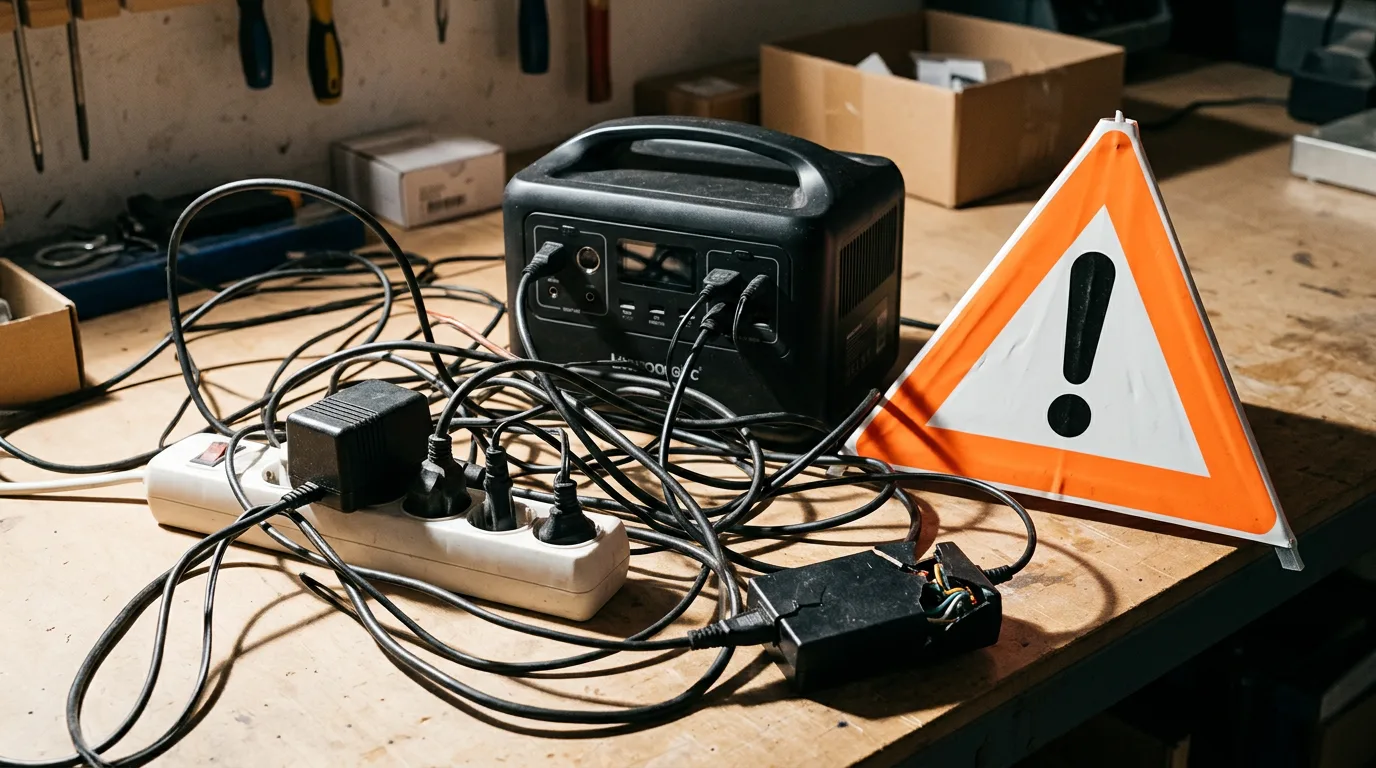
Mistake #9: Daisy-Chaining Cheap Extension Cords
Solar generators output AC power through a built-in inverter. Running that power through a long, thin extension cord creates voltage drop — the resistance of the cord eats into the power reaching your device. With cheap 16-gauge cords or multiple cords daisy-chained together, the voltage drop can be substantial enough to damage sensitive electronics or cause motor-driven devices to overheat.
The generator's built-in outlets exist for a reason: they deliver power at the correct voltage with minimal loss. Every foot of extension cord between the generator and your device adds resistance.
The fix: Keep the generator as close to your devices as practical. If you must use an extension cord, use the shortest one possible in the heaviest gauge available (12-gauge or 10-gauge for high-draw devices). Never daisy-chain extension cords. And never use an indoor-rated extension cord outdoors — the insulation degrades in UV, heat, and moisture.
Mistake #10: Treating the Generator as a UPS
Solar generators are NOT uninterruptible power supplies. When grid power fails, your solar generator does not automatically take over. You have to physically unplug devices from the wall, carry them to the generator, and plug them in. During that gap, your fridge warms up, your router goes offline, and any work on your desktop computer is lost.
Some premium generators (EcoFlow DELTA series, Anker SOLIX F2000, and a few others) offer "EPS mode" or "UPS mode" with automatic switchover in 20-30 milliseconds. That is fast enough to keep a router alive but NOT fast enough for a desktop computer — hard drives can corrupt with even a 20ms power interruption.
The fix: For devices that cannot tolerate any power gap (medical equipment, desktop computers, networking gear), use a dedicated UPS with battery backup, not a solar generator. For devices that can handle a brief interruption (fridge, lights, phone chargers), a solar generator with EPS mode works well as a backup — but you need to plug the devices into the generator's pass-through outlets BEFORE the outage occurs, not after.
Solar Generator Mistakes FAQ
What is the most common mistake people make with solar generators?
Buying based on capacity alone while ignoring inverter output. A 2,000Wh battery sounds impressive, but if the inverter maxes out at 600W, you still cannot run a microwave or space heater. Output determines what devices you can power. Capacity determines how long. Both numbers matter, and the output spec is the one most buyers overlook.
Can you damage a solar generator by leaving it plugged in?
Modern LiFePO4 solar generators have battery management systems (BMS) that stop charging at 100%. Leaving them plugged in will not overcharge or damage the battery. The BMS simply cuts off charging current at full capacity and re-engages when the level drops slightly. For long-term storage, 40-60% charge is better than 100% — but for daily use, leaving it on the charger is fine.
Do solar generators work in cold weather?
LiFePO4 batteries discharge safely in cold weather down to about -4°F (-20°C), but charging below 32°F (0°C) can permanently damage lithium cells. Most quality solar generators have built-in low-temperature charging protection that blocks charge current below freezing. The capacity reduction is real though — expect 20-30% less usable capacity at 32°F compared to 77°F. Bring the unit indoors or into a heated space before charging in winter.
Is it bad to fully drain a solar generator?
Running a LiFePO4 battery to 0% occasionally will not damage it — the BMS cuts off power before the cells reach truly harmful voltage levels. But routinely draining to 0% adds unnecessary stress. Most manufacturers recommend keeping the charge between 20-80% for daily use and only going below 20% when you need every last watt-hour. This is a soft guideline, not a hard rule — do not stress about hitting 15% on a camping trip.
Why does my solar generator charge slower than advertised?
Solar panel output ratings assume perfect conditions: direct sun at peak angle, 77°F panel temperature, zero cloud cover. Real-world solar charging typically delivers 60-80% of the rated panel wattage. A 200W panel produces 120-160W in good conditions. Cloud cover, panel angle, high temperatures, and time of day all reduce output. Additionally, the generator itself limits input wattage — a 100W solar input cap means a 200W panel delivers no advantage over a 100W panel on that unit.
Should I buy the biggest solar generator I can afford?
Not necessarily. Bigger means heavier, slower to charge, and more money spent on capacity you may never use. A 3,000Wh generator that lives in your garage because it weighs 80 lbs is less useful than a 600Wh unit you actually bring camping. Match the generator to your specific use case — our sizing guide can help you calculate exactly how much capacity your devices need. Buy 20-30% more than your calculated need for a safety margin, not 300% more.
Avoid the Mistakes — Start with the Right Generator
The best way to avoid most of these mistakes is to size your generator correctly before buying. Our sizing guide walks you through the watt-hour calculation step by step. Already know your needs? Browse our full resource hub for reviews, comparisons, and buying guides across all four categories.
Ready to Buy? Start Here
Based on this guide, our #1 recommendation:
Anker SOLIX C1000 Gen 2 Avoids every common mistake — right-sized, fast-charging, expandable Read Full Review →