Solar Generator Maintenance: How to Get the Most Years from Your Investment
A LiFePO4 solar generator is built to last 3,000-4,000 charge cycles — roughly 10-15 years of regular use. But that lifespan assumes proper care. Stored wrong, charged in the wrong conditions, or neglected for months, even premium cells degrade faster than they should. The maintenance routine that protects your investment takes less than 10 minutes per season.
We have reviewed 35 solar generators across 4 categories, and the most common long-term complaint across all brands is unexpected capacity loss — nearly always caused by storage habits, not hardware defects. A premium station stored at 100% in a hot garage for 6 months loses more capacity than a budget unit stored properly at 50% in a climate-controlled closet.
This guide covers the four pillars of power station maintenance: storage, charging habits, physical care, and software updates. Follow these, and your station will be delivering close to rated capacity years after your neighbors have replaced theirs.
The Storage Rules That Determine Battery Life
LiFePO4 cells are at their most chemically stable at 40-60% charge and at moderate temperatures. This is not marketing — it is electrochemistry. At full charge, the iron phosphate cathode sits at higher voltage potential, which accelerates electrolyte degradation over months. At 0%, the anode risks copper dissolution that permanently reduces capacity.
The practical rule: charge to 50-60% before any storage period longer than 2 weeks, and top up every 3-4 months. Most modern stations self-discharge at 2-3% per month, so a unit stored at 50% still has 40% after 3 months — well above the danger zone.
Temperature matters as much as charge level. The ideal storage temperature range is 50°F to 77°F (10°C to 25°C). A garage that hits 110°F in summer accelerates cell aging by roughly 2x compared to a climate-controlled room. If your only storage option is an uninsulated garage, consider bringing the unit inside during extreme heat months.
Cold storage is less damaging but comes with a critical rule: never charge a LiFePO4 battery below 32°F (0°C). Charging below freezing causes lithium plating — permanent metallic lithium deposits on the anode that cannot be reversed. Most quality units have built-in low-temperature protection that prevents charging below the threshold, but some budget models lack this safeguard.
Charging Habits That Extend Cycle Life
The rated 3,000-4,000 cycle life for LiFePO4 assumes full 0-100% cycles. Partial cycles are less stressful on cells. Charging between 20% and 80% can extend effective cycle life to 5,000-6,000 cycles at the cost of using only 60% of total capacity per cycle. Whether that sacrifice makes sense depends on your usage pattern.
For occasional use (camping trips, tailgating, seasonal backup), charge to 100% the day before you need it and discharge freely. The convenience of full capacity outweighs the marginal cycle savings. For daily or weekly use (remote work, continuous home backup), staying in the 20-80% range makes practical sense — the cells experience less stress per cycle, and you still have meaningful capacity for your routine.
Solar charging is the gentlest on cells. The gradual power delivery matches what the battery management system (BMS) prefers — steady, moderate current rather than aggressive spikes. If you have the setup and the sunlight, solar-primary charging with AC as a backup is the best long-term strategy for cell health.
One charging habit that catches new owners off guard: using the station while charging it simultaneously (pass-through charging). Most modern units support this, but it generates more internal heat than either charging or discharging alone. The BMS manages it, but sustained pass-through use at high loads — running a 1,000W appliance while charging at 1,200W input — pushes thermal management harder than either task in isolation. For occasional use, this is fine. For a permanent always-on UPS setup, check whether your unit has a dedicated standby mode that handles the thermal profile differently than standard pass-through.
Physical Care and Port Maintenance
The most overlooked maintenance task is ventilation. Every solar generator has intake and exhaust vents that the internal cooling system depends on. Dust buildup in these vents forces the fans to work harder and longer, increasing internal temperatures. In a dusty garage or workshop, vent blockage can develop within a few months.
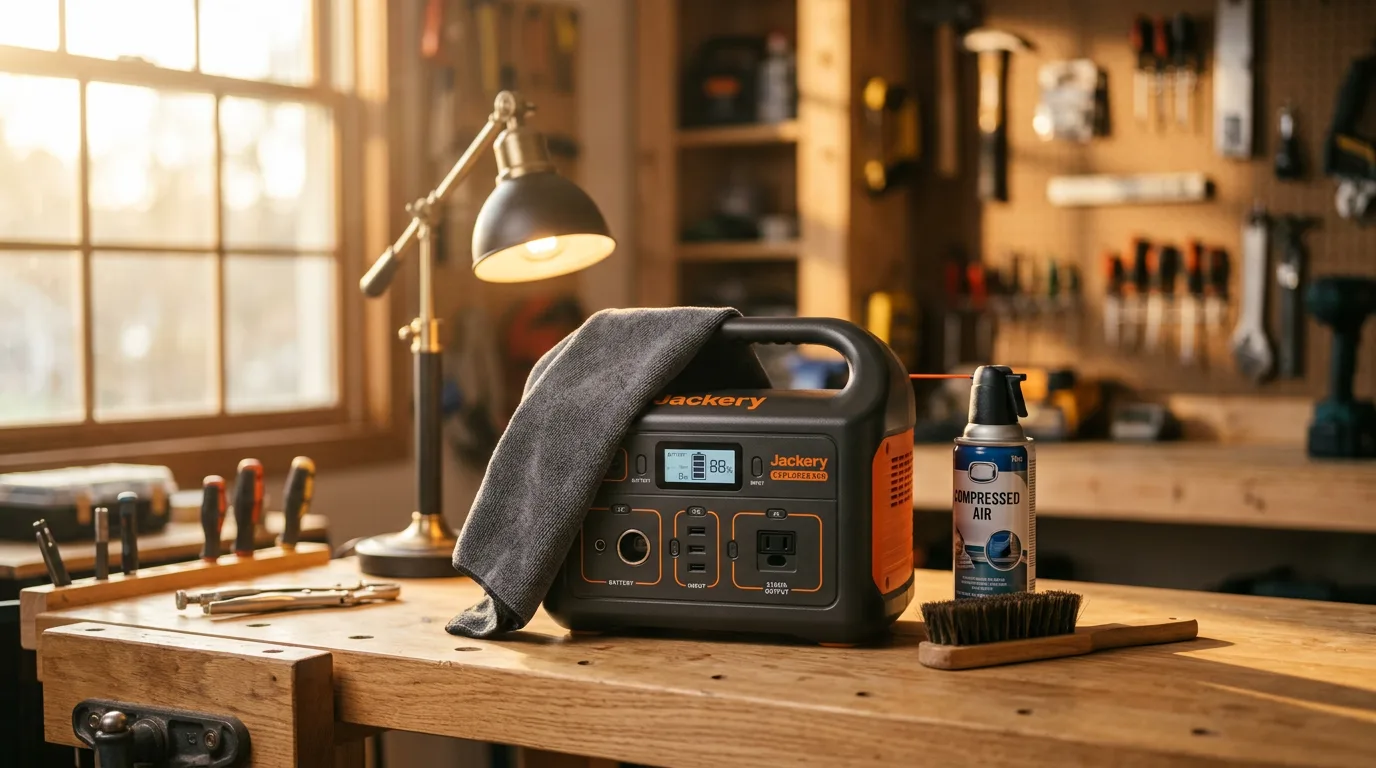
Use a can of compressed air to blast dust from all ventilation openings every 2-3 months. Hold the can 6 inches away and use short bursts — continuous spray can introduce moisture from condensation. For units with removable fan grills (rare, but some brands offer it), pull the grill and clean behind it twice a year.
Port contacts collect dust and develop surface oxidation over time, especially on units stored in sheds or garages. A dry microfiber cloth across port contacts every few months prevents connection issues. Never use liquids, contact cleaners, or metal tools inside ports — you risk shorting the connection or corroding the pins.
Check your AC cables annually. A station that draws 1,500W or more through its AC input puts real stress on the charging cable over time. Look for fraying, discoloration near the plug end, and any softening of the cable insulation. The GROWATT HELIOS 3600 ships with a 14AWG cable that users have reported overheating at full charging speed — a good reminder that replacement cables are a legitimate maintenance item for high-draw stations.
Firmware and Software Updates
Modern solar generators are firmware-driven devices. The battery management system, inverter behavior, charging algorithms, and safety protocols all run on updatable software. Firmware updates can fix bugs, improve charging efficiency, add features, and patch safety issues. Skipping them is like ignoring security updates on your phone.
EcoFlow and Anker push firmware updates through their apps — connect via WiFi or Bluetooth, and updates install automatically. Smaller brands like pecron and VTOMAN may require manual downloads from their support pages. Check for updates quarterly, at minimum. After a major firmware update, run one full charge cycle (0 to 100%) to allow the BMS to recalibrate its state-of-charge readings.
Before updating firmware, charge the unit to at least 50%. A firmware update that fails mid-write due to a dead battery can brick the BMS — requiring a factory reset or warranty service. Most apps warn you about this, but not all do. Treat firmware updates the same way you treat phone software updates: adequate charge, stable connection, and do not unplug until the process completes.
Seasonal Maintenance Checklist
Combine these tasks into a single 10-minute seasonal routine. Do it when you change your smoke detector batteries — same cadence, same importance.
Spring (March): Check charge level — bring to 50-60% if stored over winter. Inspect all cables for rodent damage (garages are prime territory). Blow out vents with compressed air. Check for firmware updates after winter releases. If you use solar panels, clean panel surfaces with water and a soft cloth before the high-sun months.
Summer (June): Move stored units away from direct heat exposure. Monitor storage area temperatures — if your garage regularly exceeds 100°F, bring the station inside. Check charge level. Verify that the cooling fan activates properly by running a moderate load for 5 minutes.
Fall (September): Post-camping-season cleanup. Blow out vents (likely dusty from summer use). Wipe all port contacts. Update firmware. If you are winterizing the unit for storage, charge to 50-60% and store in the most climate-controlled space available.
Winter (December): Check stored units every 6 weeks in cold climates. Do NOT charge if the unit is below freezing — bring it indoors first and let it warm to room temperature for 2 hours before plugging in. Verify charge level stays above 20%.
Transport and Travel Care
Moving a solar generator between locations introduces risks that stationary storage does not. A 25-45 lb battery box sliding around a truck bed or SUV cargo area during braking can crack the housing, damage internal cell connections, or break port contacts. Secure the unit against movement every time you transport it — a ratchet strap to a tie-down point, wedged between gear bags, or placed in a padded carrying case.
Altitude changes affect sealed units less than you might expect. LiFePO4 cells operate normally at altitudes up to 15,000 feet. But rapid altitude changes during mountain driving can cause minor pressure differentials inside the housing. If your unit has a pressure equalization vent (most do), this resolves itself. If the display shows unusual readings after a high-altitude trip, run one full charge-discharge cycle to let the BMS recalibrate.
For air travel, most commercial airlines prohibit lithium batteries above 100Wh in checked luggage and above 160Wh in carry-on. Every power station in our catalog exceeds both thresholds — meaning you cannot fly with a portable power station on a commercial flight. Ship it ground freight or drive. Some smaller power banks under 100Wh (around 27,000mAh at 3.7V) are carry-on eligible, but no power station qualifies.
When Maintenance Cannot Fix It: Warranty and Replacement Signs
Even with perfect maintenance, batteries eventually degrade. LiFePO4 cells are rated to retain 80% capacity after their rated cycle count. Below 80%, performance drops noticeably — shorter runtimes, slower charging acceptance, and more frequent low-battery warnings.
Signs your station needs professional attention or warranty service: charge level drops from 100% to 80% within minutes of unplugging (BMS calibration failure or cell imbalance), the unit refuses to charge past 70-80% despite multiple attempts (cell degradation beyond BMS compensation), unusual heat during normal loads (potential internal resistance increase), or error codes that persist after firmware updates.
Contact the manufacturer before assuming the unit is dead. Many issues that look like cell failure are actually BMS software bugs that a firmware update or factory reset can resolve. Anker, EcoFlow, and Jackery all have US-based support teams with replacement part programs. Budget brands vary — check your warranty terms and whether your registration is current.
Maintenance by Brand: What Each Manufacturer Recommends
Anker SOLIX series: Anker recommends storing between 30-60% charge, with a top-up every 3 months. The Anker app sends low-battery storage reminders if configured. The Storm Guard feature on the C2000 Gen 2 handles pre-storm charging automatically, which doubles as a maintenance-friendly feature — the unit stays at idle charge until severe weather triggers a pre-emptive full charge.
EcoFlow DELTA series: EcoFlow suggests 50% storage charge with quarterly maintenance. Their app provides the most detailed battery health monitoring of any brand — including cell voltage readings, cycle count, and estimated remaining capacity percentage. Use these diagnostics to catch degradation early.
Jackery Explorer series: Jackery recommends cycling the battery fully (0-100%) once every 3 months during storage periods to maintain BMS accuracy. Their manual specifically warns against storing in vehicles during summer — a reminder that car interiors can exceed 150°F.
Budget brands (VTOMAN, FOSSiBOT, AFERIY, pecron): Maintenance recommendations from these brands are less detailed in their manuals, but the underlying LiFePO4 chemistry is the same. Apply the universal rules: 50-60% storage charge, avoid extreme temperatures, quarterly check-ins, and firmware updates when available.
Solar Generator Maintenance FAQ
How often should I charge my solar generator if I am not using it?
Charge your LiFePO4 power station to 50-60% every 3-4 months during storage. Most modern units have low self-discharge rates — roughly 2-3% per month — but letting the battery sit at 0% for months can cause permanent capacity loss. Set a calendar reminder and give it a partial charge four times a year.
Should I store my solar generator fully charged?
No. Long-term storage at 100% charge puts stress on LiFePO4 cells and can reduce cycle life over time. The optimal storage level is 50-60% — this keeps the cells in their most chemically stable state. Charge to 100% only when you know you will use the unit within a few days.
Can I leave my solar generator plugged in all the time?
Most modern units have charge management circuits that stop charging at 100% and trickle when needed. But prolonged plug-in storage still keeps cells at high voltage levels. If you use the unit as a permanent home backup, some brands (Anker, EcoFlow) offer UPS or standby modes specifically designed for always-connected operation. Check your manual before leaving it plugged in indefinitely.
What temperature range is safe for charging a solar generator?
Most LiFePO4 units charge safely between 32°F and 113°F (0°C to 45°C). Charging below freezing can damage cells permanently — the lithium plates onto the anode instead of intercalating, causing irreversible capacity loss. Many quality units have built-in low-temperature charging protection that prevents charging below 32°F.
Do I need to fully drain my solar generator before recharging?
No. LiFePO4 batteries have no memory effect — partial charges are actually better for longevity than full drain-and-recharge cycles. The ideal range for everyday use is between 20% and 80%. Running to 0% occasionally is fine for calibration, but making it a habit shortens total cycle life.
How do I clean the ports and vents on my power station?
Use compressed air to clear dust from ventilation openings every 2-3 months, especially if the unit lives in a garage, workshop, or outdoor shed. Wipe port contacts with a dry microfiber cloth. Never spray liquids into ports or vents. If a port feels loose or has visible corrosion, contact the manufacturer before using it.
Ready to Find Your Next Solar Generator?
A well-maintained solar generator lasts 10-15 years. That starts with buying the right one for your needs. Check our buying guide to match capacity and features to your actual usage, or browse our top-rated high-capacity picks for the stations that earn their price through build quality and longevity.
Ready to Buy? Start Here
Based on this guide, our #1 recommendation:
BLUETTI Elite 30 V2 LiFePO4 with 3,500+ cycle life — minimal maintenance, maximum longevity Read Full Review →